The 10 Questions That Separate a Good ZTNA Contract From a Costly Mistake
Picture a small manufacturing shop that signs a two-year Zero Trust Network Access contract, then finds out a few months later that the platform bills per connected device rather than per user. The shop floor sensors alone push the bill well past what the sales call implied. Nobody asked the right question before the contract was signed. That kind of scenario plays out at small businesses more often than vendors like to admit, and it’s avoidable if you know what to ask first.
ZTNA is meant to replace the old assumption that anyone inside your network perimeter can be trusted. Instead, it checks identity, device health, and context every time someone tries to reach an application, whether they’re in the office or working from a coffee shop. The idea is sound. The problem is that vendors package it differently, price it differently, and support it differently, and a glossy demo won’t tell you which one fits your business.
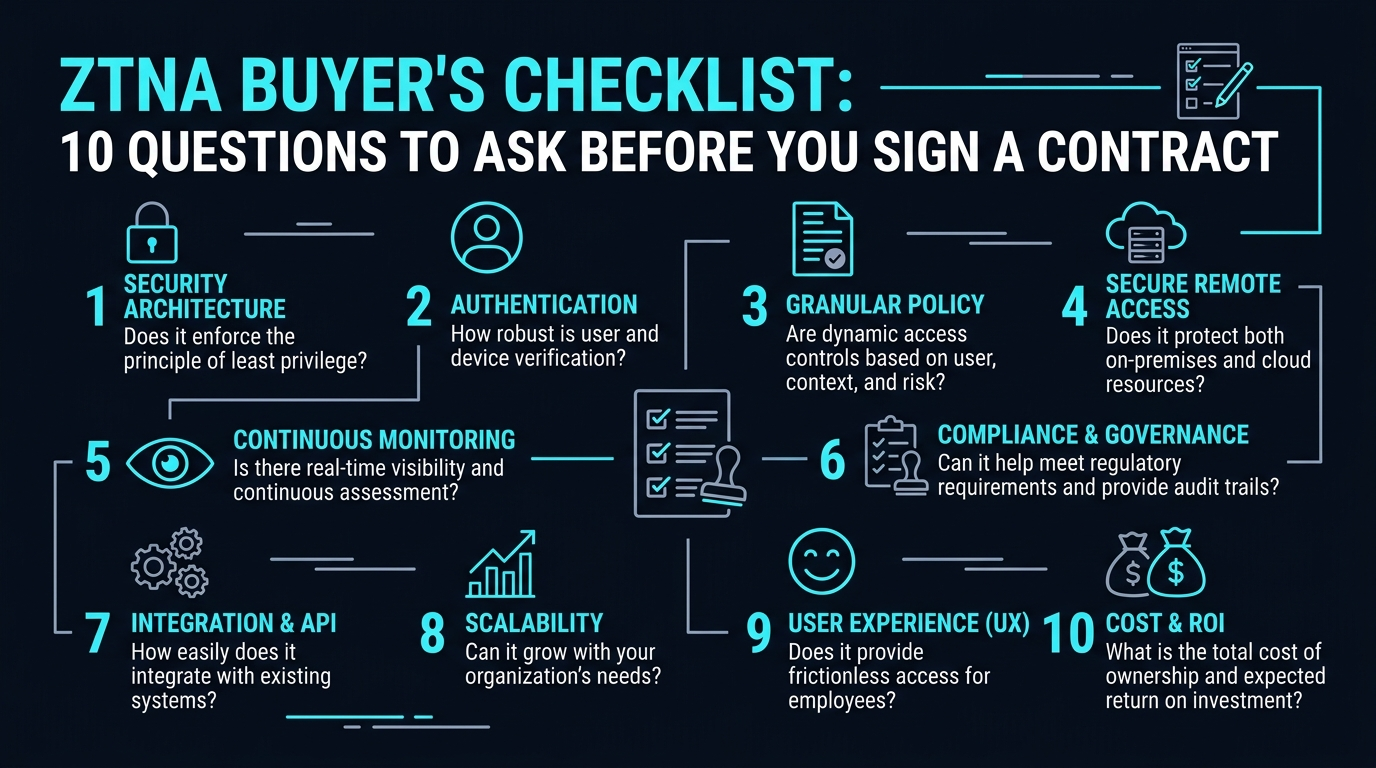
Here are ten questions to put to any ZTNA vendor before you commit.
1. How Is Pricing Structured, and What Triggers Overage Charges?
Ask for the exact unit of billing: per user, per device, per gateway, or some blend. Then ask what happens when you exceed your plan, whether that’s adding a fifth office location, connecting IoT devices, or bringing on seasonal staff.
Get this in writing rather than trusting a verbal answer from a sales rep. Contracts that look cheap per seat can balloon once you factor in add-ons for logging, extended data retention, or premium support tiers.
2. What Does the Onboarding Timeline Actually Look Like?
Some ZTNA platforms can have a small office running within days because they’re built around lightweight software agents and cloud-based policy engines. Others require more substantial network changes, VPN decommissioning, or hardware at each site.
Ask for a realistic timeline based on a business your size, not the vendor-s best-case customer story. Also ask who does the configuration work: your IT person, their support team, or a paid implementation partner.
3. Does It Support Both Managed and Unmanaged Devices?
Small businesses increasingly deal with contractors, freelancers, and employees using personal laptops or phones. Find out whether the platform can enforce policy on devices your company doesn’t own, and what that experience looks like for the end user.
Some ZTNA tools require a full agent install, which isn’t always practical for a contractor who’ll be gone in three weeks. Others offer browser-based or agentless access for that exact scenario, so ask directly which model applies to your workforce mix.
4. How Granular Is the Access Control?
True Zero Trust Network Access limits each user to the specific application or resource they need, not the entire network segment. Ask whether policies can be set at the application level, and whether you can restrict access by role, department, time of day, or device posture.
If a vendor-s answer defaults to “we give access to the whole VPN tunnel,” that’s a sign you’re looking at rebranded VPN technology rather than a real Zero Trust model. Twingate, for one, builds its platform around a lightweight agent designed for per-application access rather than broad tunnels. The company maintains a SOC 2 Type 2 report, which reflects controls tested over time by an independent third-party auditor, according to Twingate’s published compliance overview, checked in March 2025. Twingate is a reasonable point of comparison here, though you should confirm the same posture and certifications with whichever vendor you’re actually evaluating. If you sign up through some of the links in this article, EdgeTrustNetwork may earn a commission at no extra cost to you.
5. What Happens When the Internet Goes Down or the Vendor Has an Outage?
Cloud-delivered security depends on the vendor-s own infrastructure staying up. Ask about their uptime record, whether they publish a status page, and what your fallback access looks like during an outage. Ask if there’s a formal service level agreement, and what it actually covers versus what it just promises credits for.
This matters more for a business running point-of-sale systems or scheduling software that employees need constantly. A vendor who can’t answer this clearly hasn’t thought about it either.
6. Can It Integrate With the Identity Provider You Already Use?
If your team logs in with Google Workspace, Microsoft 365, or a dedicated identity provider, your ZTNA platform needs to plug into that system rather than forcing a separate login. Ask specifically about single sign-on support and multi-factor authentication compatibility.
Poor integration here creates password fatigue, and password fatigue leads employees to write credentials down or reuse them, which undercuts the entire point of tightening access control.
7. How Does the Platform Handle Logging and Reporting?
You’ll want visibility into who accessed what, when, and from where, both for security monitoring and for compliance purposes if your industry requires audit trails. Ask how long logs are retained by default and whether extended retention costs more.
If you’re in a regulated field like healthcare or financial services, ask the vendor directly whether their platform has documented compliance certifications relevant to your industry, and ask for that documentation rather than just a verbal assurance.
8. What Does Support Actually Look Like After the Sale?
A demo call with an attentive sales engineer tells you nothing about what happens when access breaks at 6 p.m. on a Friday. Ask about support hours, average response times, and whether phone support exists or if you’re limited to a ticket queue.
Ask for references from customers close to your size. A vendor whose case studies are all enterprise accounts with dedicated IT departments may not prioritize a five-person support ticket the same way.
9. Is There a Contract Lock-In, and What’s the Exit Path?
Multi-year contracts sometimes come with better per-seat pricing, but ask what happens if the platform doesn’t work out. Find out about early termination fees, data export options, and how long you’d need to run parallel systems during a transition.
Reading the actual contract language matters more than the sales pitch here. A vendor confident in their product generally won’t resist reasonable questions about exit terms.
10. How Does the Platform Scale as You Grow?
The setup that works for eight employees in one office may need to look different at fifty employees across three states. Ask how adding locations, increasing user counts, or acquiring another small business would affect both cost and configuration complexity.
Some platforms are built with this scaling in mind and treat it as a straightforward admin task. Others require a re-architecture or a call to a solutions engineer every time your headcount jumps.
Putting the Answers Together
None of these questions has one universally correct answer. A five-person consulting firm and a thirty-person logistics company will weigh onboarding speed, pricing structure, and integration needs differently. What matters is getting specific, written answers rather than a general sense of confidence from a sales call.
Talk to your IT lead or managed service provider before the contract stage, since they’ll be the ones living with the day-to-day management of whichever platform you choose. If they flag a concern about integration or support responsiveness, weigh that seriously against a lower sticker price.
Options to Evaluate
If you’re comparing platforms directly, a few names come up often in small business conversations about ZTNA.
- NordLayer publishes per-user pricing in the range of $6 to $9 a month on its own site, checked in March 2025, which appeals to small teams that want predictable per-seat costs rather than a per-device model that can spike once IoT sensors or contractor laptops get added.
- Cloudflare Access fits teams already running other Cloudflare services, since the identity and network layers can share the same infrastructure.
- Cisco Duo tends to suit businesses that already lean on Cisco’s broader security stack and want ZTNA to plug into that existing setup rather than replace it.
Run each of these through the same ten questions above before signing anything. A name recognized in the market isn’t a substitute for a written answer about pricing triggers, support hours, or exit terms.
That manufacturing shop from the opening didn’t skip these questions because nobody cared. They skipped them because nobody had a list. Now you do.