The ZTNA Rollout Mistakes That Turn a Six-Week Project Into a Six-Month Headache
Here’s a scenario that plays out in different shapes across small businesses adopting Zero Trust Network Access: a 30-person law firm buys ZTNA licenses in January, expecting to retire its VPN by March. By July, half the paralegals are still logging into the old VPN because nobody migrated the document management system, the “identity setup” the IT contractor quoted as a two-day add-on turned into three weeks, and the managing partner is asking why the firm paid for software nobody uses. (This is an illustrative composite drawn from patterns described in SMB-focused ZTNA reporting, not a single documented case, but the shape of it will look familiar to anyone who’s run a rollout like this.)
None of that is unusual. Zero Trust Network Access is not a hard technology to buy, but it is an easy project to mismanage, especially for a business without a dedicated IT department. The mistakes below show up again and again, and most of them are avoidable if you know to watch for them before you sign a contract.
Skipping the Application Inventory
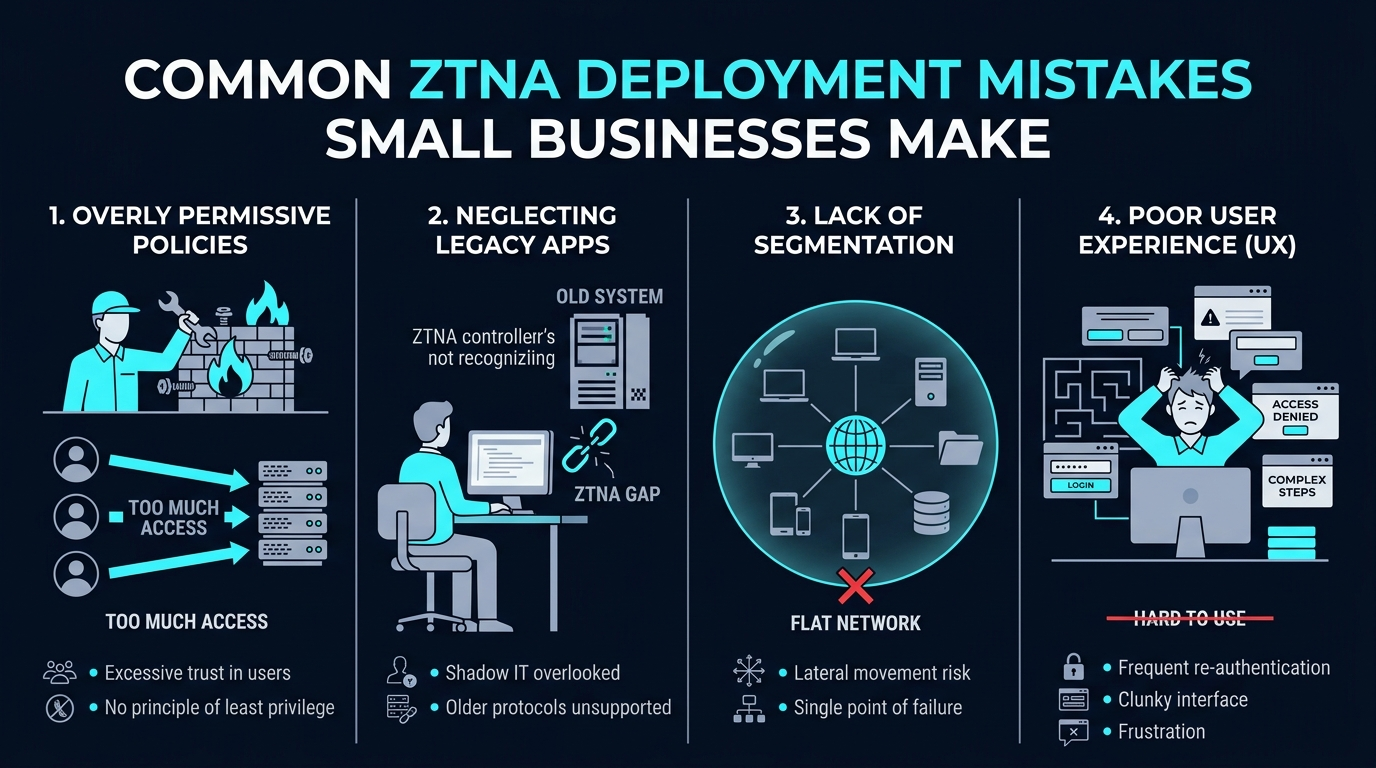
The single most common misstep is picking a ZTNA vendor before anyone has written down what actually needs to be protected.
A small business rarely has a clean list of every application, server, and shared drive employees touch during a normal week. There’s the accounting software, sure, but also the old file server nobody officially owns, the vendor portal the bookkeeper uses once a quarter, and the printer management tool that somehow needs network access too. Skip the mapping step and you end up buying a platform sized for the wrong problem, then discovering the gaps mid-deployment.
A basic inventory doesn’t need to be elaborate. A spreadsheet listing each application, who uses it, how sensitive the data is, and whether it lives on-premises or in the cloud is usually enough to scope a deployment realistically. Skip this and you’ll be doing it anyway, later, under pressure, with a vendor’s clock already running.
Treating Identity Integration as an Afterthought
ZTNA lives or dies on identity. The entire premise is verifying who someone is and what they’re allowed to touch before granting access, which means your identity provider, whether that’s Microsoft Entra ID, Google Workspace, Okta, or something else, isn’t a supporting detail. It’s the foundation.
OpenVPN’s June 2025 guide on ZTNA for small and midsize businesses flags identity integration as one of the recurring points where SMB deployments stall, because it gets scheduled as a “we’ll handle that later” task instead of the first thing to sort out. When identity is bolted on late, teams end up with duplicate user directories, inconsistent multi-factor authentication policies, and access rules that don’t match how the business actually operates.
The fix is sequencing. Get your identity provider connected and your user groups cleaned up before onboarding applications, not after. It’s less exciting than rolling out the actual access controls, but it’s the part that determines whether everything downstream works.
Underestimating How Long This Actually Takes
Vendor sales pitches tend to describe deployment in weeks. Real small business timelines look different, especially for a company that also has to run payroll, close month-end books, or handle a seasonal sales rush.
Retailers shouldn’t be reconfiguring network access in the middle of the holiday shopping season. Accounting firms shouldn’t be doing it during tax season. A realistic ZTNA rollout plan accounts for the business’s actual calendar, not just the technical steps, and builds in buffer for the moment someone discovers an application nobody mentioned during the inventory phase.
Rollouts that get compressed to fit around a vendor’s sales quarter, rather than the business’s own operating rhythm, tend to be the ones that stall halfway through. A small business squeezing a multi-month project into a few weeks between other priorities is setting the timeline up to slip before anyone touches a keyboard.
The Hidden Costs Nobody Budgets For
The license fee is rarely the whole bill.
OpenVPN’s June 2025 guide on ZTNA for small and midsize businesses identifies implementation costs, not the subscription itself, as the recurring surprise for smaller organizations. Professional services fees, staff training time, and the internal hours spent on configuration and testing tend to add up faster than SMB buyers expect, and a business that budgets only for per-user licensing is likely to get an unwelcome surprise once the implementation invoice arrives.
Before signing anything, ask the vendor directly what a typical implementation costs beyond the subscription. Ask about training time for your team, whether professional services are included or billed separately, and what ongoing support costs look like once the initial rollout is done.
Going All-In on Day One
A big-bang rollout, where every user and every application moves to the new access model at once, sounds efficient. In practice it’s the deployment pattern most likely to produce outages, locked-out employees, and a help desk that can’t keep up.
A phased approach works better for most small businesses. Start with a low-risk application group, work out the configuration issues on a small population of users, then expand in stages once policies are proven. This also gives you room to catch mistakes in the application inventory or identity setup before they affect the whole company.
Phasing by department or by application sensitivity, starting with internal tools and saving customer data systems for later once the process is proven, tends to produce fewer surprises than migrating everyone simultaneously.
Forgetting That Employees Are Part of the Rollout
Zero Trust changes how people log in and what they can access, and that’s a bigger deal to employees than IT teams sometimes expect. When staff aren’t told why the login screen suddenly looks different, or why they’re being asked for multi-factor authentication on a tool they’ve used the same way for five years, support tickets pile up fast.
A short internal communication plan, even a couple of emails explaining what’s changing and why, tends to cut down on confusion. Pair that with basic training on the new login flow and a clear point of contact for problems, and adoption goes noticeably smoother than a silent rollout ever does.
Recognizing When You Need Outside Help
Not every small business has someone on staff who has configured identity federation or written access policies before. That’s a resourcing gap, not a failure, and pretending otherwise is how projects stall out.
Managed service providers who specialize in Zero Trust deployments can shorten the timeline and reduce configuration mistakes, particularly around the identity integration step described above. If your internal team’s expertise is thin, factoring MSP support into the budget from the start is usually cheaper than fixing a botched self-deployment later.
The platform you choose also affects how much outside help you’ll need. Coverage from cybersecurity publications including CyberSecurityNews and ExpertInsights has repeatedly positioned SMB-focused ZTNA platforms, including NordLayer, as easier for small IT teams to configure than platforms built primarily for dedicated enterprise security staff, though none of that coverage offers a direct, quantified setup-time comparison against specific competitors. Treat it as a reasonable factor to weigh, not a settled benchmark, and confirm setup requirements directly with any vendor before committing. If you sign up through some of the links in this article, EdgeTrustNetwork may earn a commission at no extra cost to you.
Deploying Without Deciding What Success Looks Like
The last mistake is subtle but costly: starting a ZTNA project without agreeing on what “done” or “working” actually means.
Without defined metrics, it’s hard to know if the rollout is on track or quietly failing. Useful benchmarks include the percentage of applications successfully onboarded, the percentage of users fully migrated off legacy VPN access, and reductions in overly broad access policies compared to what existed before. ElectroIQ’s Zero Trust Statistics roundup, which compiles data points from multiple zero trust studies rather than presenting a single original survey, lists tracked progress metrics as one of the factors that helps organizations catch stalled deployments early, instead of discovering months later that half the company never migrated.
Set these numbers before the project starts, review them monthly, and adjust the timeline honestly when they slip instead of pretending the rollout is further along than it is.
Back to That Illustrative Law Firm
Picture the same firm a year later, having fixed most of what went wrong: a proper application inventory, identity integration handled first, a phased schedule that avoided busy season, and monthly check-ins against real numbers instead of assumptions. The VPN finally gets shut off in March, a year later than planned, but this time everyone in the office knows why the date moved and what changed.
That’s the pattern that matters. ZTNA deployment mistakes rarely come from the technology itself. They come from skipping the unglamorous groundwork, and the businesses that get this right treat planning as seriously as the software purchase, which is the difference between a six-week project and a six-month one.