Your Remote Team’s Home Wi-Fi Is Now Your Company’s Front Door
Picture this: your bookkeeper logs into your accounting software from her kitchen table, over the same router her teenage son uses for online gaming. Your sales rep connects from an airport lounge before a flight. Your designer works from a co-working space where the Wi-Fi password is taped to the wall. None of these people did anything wrong, but every one of those connections is a potential opening into your business.
This is the reality of running a distributed team. The office network with its firewall and locked door doesn’t exist anymore, or it exists for maybe half your staff on a good day. Security built around “protect the building” stopped making sense the moment people started working from anywhere, and most small businesses are still catching up to that shift.
Why the Old Remote Access Model Breaks Down
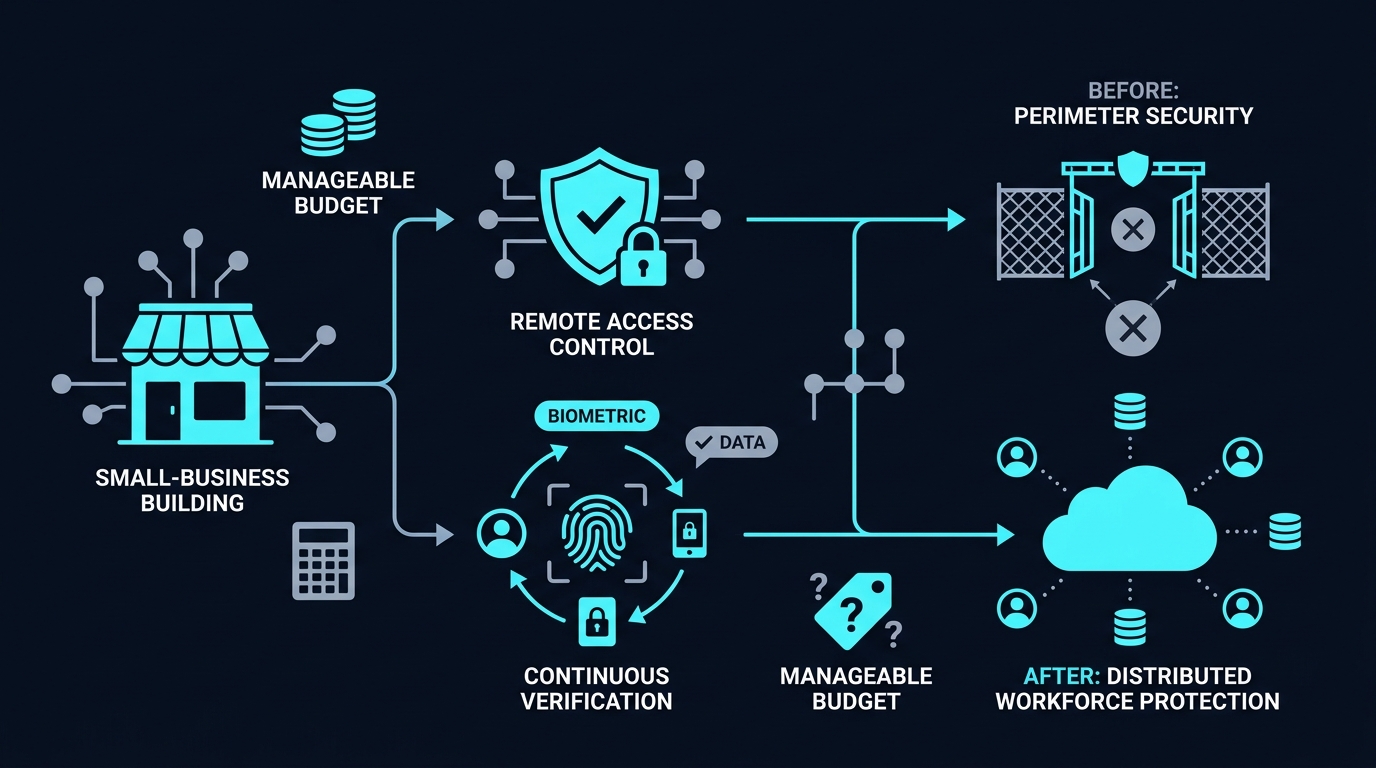
For years, the standard fix for remote access was a VPN. An employee connects, and once they’re in, they’re treated as trusted, often with access to far more of the network than their job actually requires.
That approach made sense when “remote” meant a handful of employees occasionally logging in from home. It makes a lot less sense when your accountant, your customer support rep, and your part-time contractor in another state are all connecting from different devices, different networks, and different time zones every day.
The core problem is that a traditional VPN checks identity once, at login, and then largely stops asking questions. If a laptop gets compromised after that point, or if login credentials get stolen, the attacker often inherits the same broad access the employee had. A rep’s laptop shouldn’t need a path to your finance server just because it’s on the same virtual network.
What Zero Trust Actually Means for a Remote Team
Zero trust flips the assumption. Instead of “you’re on the network, so you’re trusted,” it works from “prove who you are and what you’re using, every time, for every specific thing you’re trying to reach.”
In practice, for a small business, this comes down to a few working parts:
Identity comes first, not location
Access decisions get based on who the person is and what they’ve verified themselves to be, not which building or Wi-Fi network they happen to be connected to. Single sign-on paired with multi-factor authentication becomes the front door, replacing the old assumption that a login and password were enough.
Devices get checked, not just people
Zero trust setups typically look at the device asking for access too. Is it running an approved operating system version? Does it have security software active? A personal laptop with outdated software and no encryption can get treated differently than a company-managed machine, even if the same person is logging in from both.
Access gets scoped to what’s actually needed
Rather than dropping someone onto “the network” broadly, zero trust access tools connect a user directly to the specific application or resource they need, nothing more. Your designer gets the design files and project management tool. They don’t get a technical path to payroll systems just because both happen to live on the same infrastructure.
Trust gets rechecked, not assumed to last
Verification isn’t a one-time event at login. Sessions can get re-evaluated as conditions change, so if a device suddenly looks different or a login pattern seems off, access can get challenged again rather than left standing indefinitely.
The Headache Small Businesses Actually Worry About
Here’s where a lot of business owners tune out. Zero trust sounds like something built for a company with a full IT department, not a fifteen-person team with one person handling tech support between other jobs.
That reputation comes largely from how zero trust used to get implemented. Older, enterprise-grade rollouts often meant heavy infrastructure changes, long deployment timelines, and a learning curve steep enough to slow everyone down while it was being set up. For a lot of smaller organizations, the tradeoffs of doing it that way outweighed the security benefit, at least on paper.
Modern zero trust network access (ZTNA) tools were built specifically to address that gap. Rather than requiring a rebuilt network architecture, they layer on top of what a business already has, connecting users to specific applications through cloud-managed policies instead of forcing a rip-and-replace of existing infrastructure. The setup burden that made zero trust feel like an enterprise-only project has gotten lighter, even if it isn’t zero.
What a Practical Rollout Actually Looks Like
You don’t need to flip a switch and move your entire company to a new access model overnight. A staged approach tends to cause less disruption and gives you room to catch issues early.
Start with your highest-value systems. Financial software, customer data, and admin-level accounts are usually the places where a breach would hurt the most. Bringing these under stricter, identity-based access first gives you the biggest risk reduction for the smallest initial rollout.
Layer in device checks gradually. If your team uses a mix of company laptops and personal devices, decide early which categories of devices get full access and which get more limited access, rather than trying to write a rule for every possible device on day one.
Set access by role, not by convenience. It’s tempting to just give everyone broad access because it’s easier than managing permissions individually. Mapping access to what each role genuinely needs takes more upfront thought but avoids the sprawling access lists that make a breach far more damaging when one eventually happens.
Communicate the “why” to your team. An extra login prompt or device check can feel like friction if nobody explains the reasoning. Framing it as protecting the business, and by extension their jobs and the customer data they’re responsible for, tends to land better than presenting it as a top-down IT mandate.
Choosing Tools Without Overcomplicating Things
For a business without a dedicated security team, the right tool is usually the one that doesn’t require becoming a security expert to run it. Look for platforms with straightforward setup, clear per-app access controls, and dashboards that make sense to a generalist admin rather than requiring specialized training.
NordLayer is one option built around this kind of simplified deployment, aiming to make identity-based, per-application access manageable for teams without in-house security specialists. As with any vendor, it’s worth comparing setup requirements, pricing structure, and support against your team’s specific mix of remote and in-office staff before committing. (If you sign up through some of the links in this article, EdgeTrustNetwork may earn a commission at no extra cost to you.)
Whatever tool you land on, the things worth checking are consistent: does it support your existing identity provider, can you set granular per-application rules rather than all-or-nothing network access, and does it handle device checks without requiring a dedicated device management platform bolted on separately.
The Everyday Payoff
Back to that bookkeeper at her kitchen table. Under a zero trust setup, her router’s security posture matters far less, because she’s never actually placed onto your company’s internal network in the first place. She authenticates, her device gets a quick check, and she’s connected straight to the accounting software she needs and nothing beyond it.
If her laptop gets compromised down the line, or her credentials get phished, the damage stays contained to what that one login was ever allowed to touch. That’s the real shift here: not a promise that nothing bad will happen, but a structure where one bad moment doesn’t automatically become a company-wide one.